
Make your first distro
This takes about five minutes in the Workshop, then 15 to 40 minutes of waiting while the build runs. You need a web browser. To build on linuxlive.com or in GitHub you also need a free GitHub account.
1. Open the Workshop
Section titled “1. Open the Workshop”Go to linuxlive.com/workshop/. The seven steps run across the top: Base, Desktop, Apps, Look, Settings, Extras and Get it.
Everything starts filled in. You could press Next all the way to the end and get a working distro called My Distro. The Workshop overview explains the layout.
2. Make your choices
Section titled “2. Make your choices”- Base: Ubuntu or Fedora. Pick Ubuntu if you are unsure. See Base.
- Desktop: GNOME, KDE Plasma or Cinnamon. See Desktop.
- Apps: a bundle, single apps, or any app from Flathub. See Apps.
- Look: the name, version, accent colour, wallpaper and logo. Without your own files the kit uses a placeholder. See Look.
Settings and Extras are optional. Skip them for a first distro.
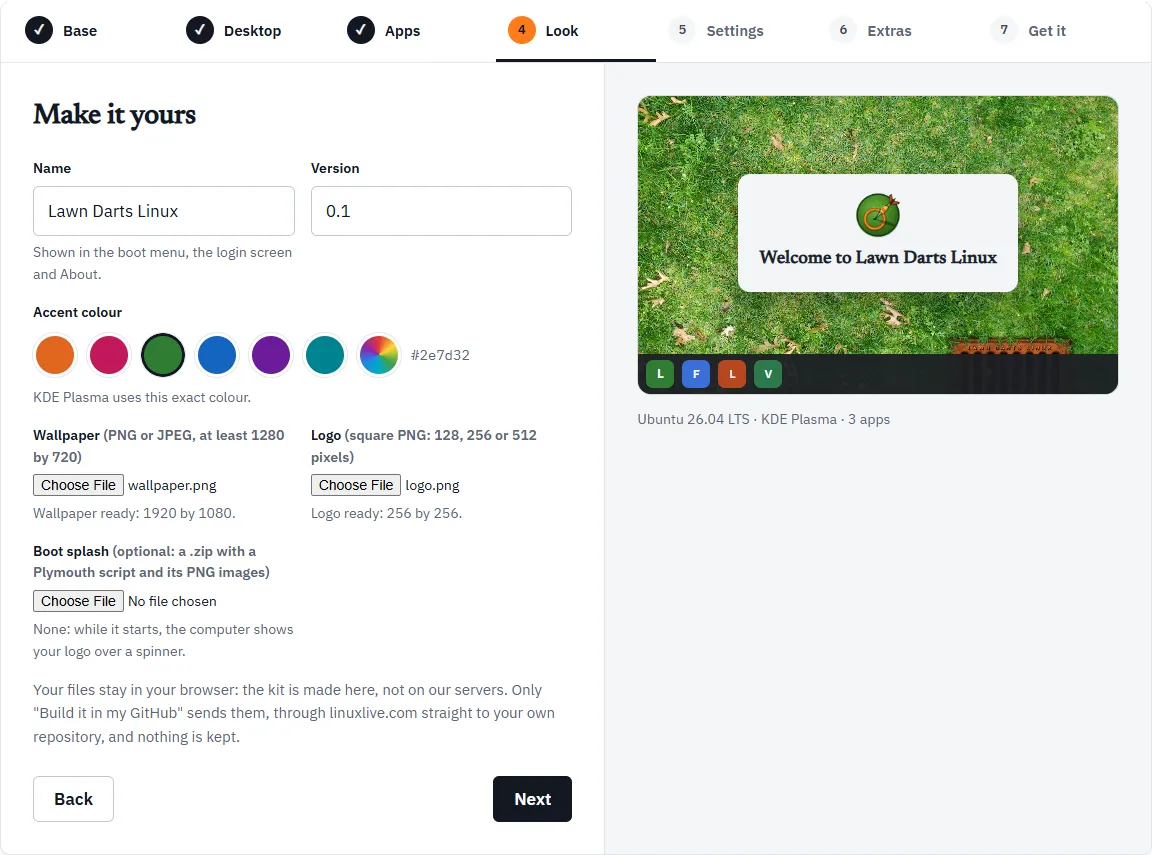
3. Get it
Section titled “3. Get it”The last step, Get it, sums up your choices and offers the ways to build. If a box of problems shows above the buttons, fix each one on its own step and come back.
For a first distro, choose one of these:
- Build it for me: linuxlive.com builds it. Sign in with GitHub in the window that opens. You land on your build’s page, which shows the progress and then a Download ISO button. The download is kept for 30 days. See The build page.
- Build it in my GitHub: linuxlive.com puts your distro in a new public repository of yours, and GitHub builds it, free. The first time, GitHub asks you to install the linuxlive-com app. When the build is done, open the run on GitHub and download the ISO under Artifacts. Your distro then shows on My distros, where you can change it later.
Download the kit (.zip) gives you the files to build yourself instead. Get it explains all three, and Ways to build compares them.
4. Check the download
Section titled “4. Check the download”Each finished build shows a SHA-256 checksum beside the download. Check that your file matches it before you use it. On Windows, in PowerShell:
Get-FileHash my-distro.iso -Algorithm SHA256On Linux, sha256sum my-distro.iso; on macOS, shasum -a 256 my-distro.iso. The long string it prints must match the one on the page, character for character. PowerShell prints it in capital letters, which is fine.
A build in your own GitHub arrives as a zip named iso-<your distro>. Unzip it first: the ISO and its checksum file are inside.
5. Try it
Section titled “5. Try it”- In a virtual machine: the quickest way, and nothing on your PC changes. See VirtualBox.
- From a USB stick: write the ISO to a stick of 8 GB or more and start a PC from it. See USB stick.
The live system runs without touching the PC’s disk. To put it on a disk for good, see Installing.
- Change your distro and save a new version: My distros.
- Share it with everyone: The Library.